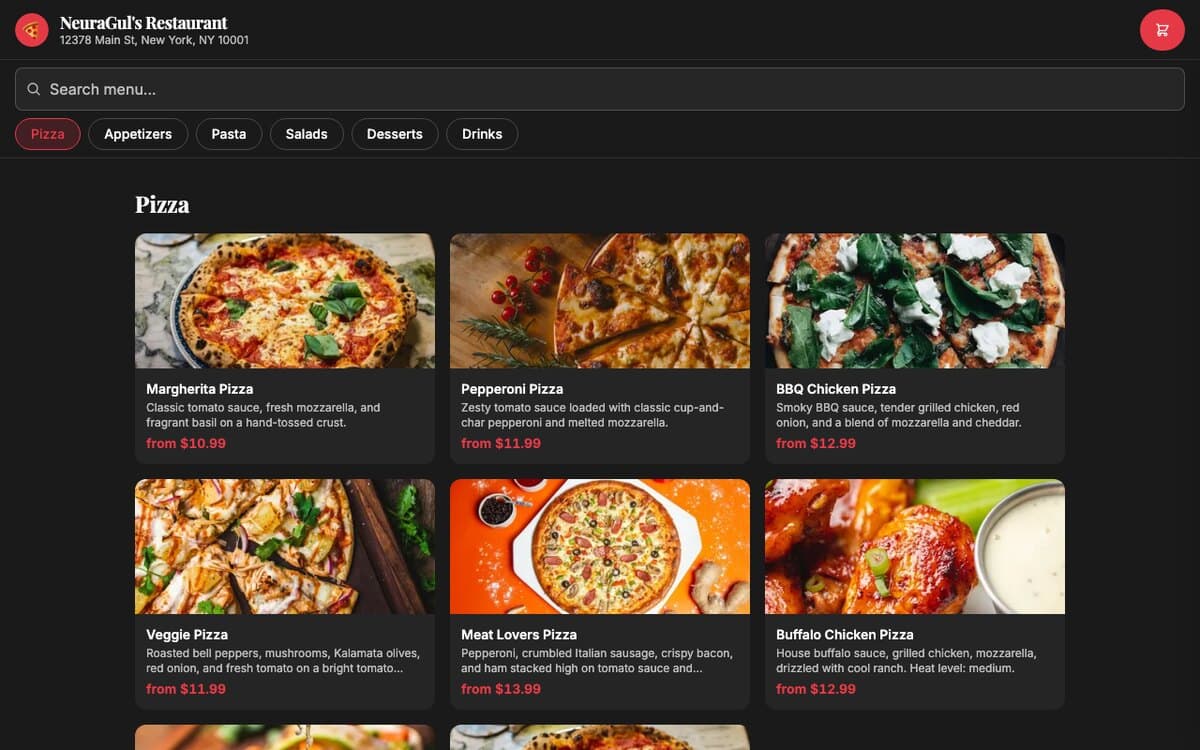
The restaurant was paying a delivery app 20% of every online order. Now it pays only the card-processing fee it was already paying.
A branded ordering site and a back office to run it. The menu is read live from the Square catalog, the order is created in Square, the card is charged by Square, and the customer gets a text when the kitchen marks the order ready. Hours, menu, delivery and every credential are edited from the admin, so nothing waits on a developer. Next.js on Vercel, Postgres for the settings, 154 tests.
Outcome
A restaurant can take an online order without paying a marketplace a share of it, and whoever is at the counter can open, close, hide a dish or change the hours from a browser. It ships as a template on Vercel: one deployment per restaurant, with its own database and its own Square account, and nothing shared between them. The screenshots below run against a Square sandbox and a throwaway database, and the restaurant name in them is an invented setting.
From the menu to the kitchen
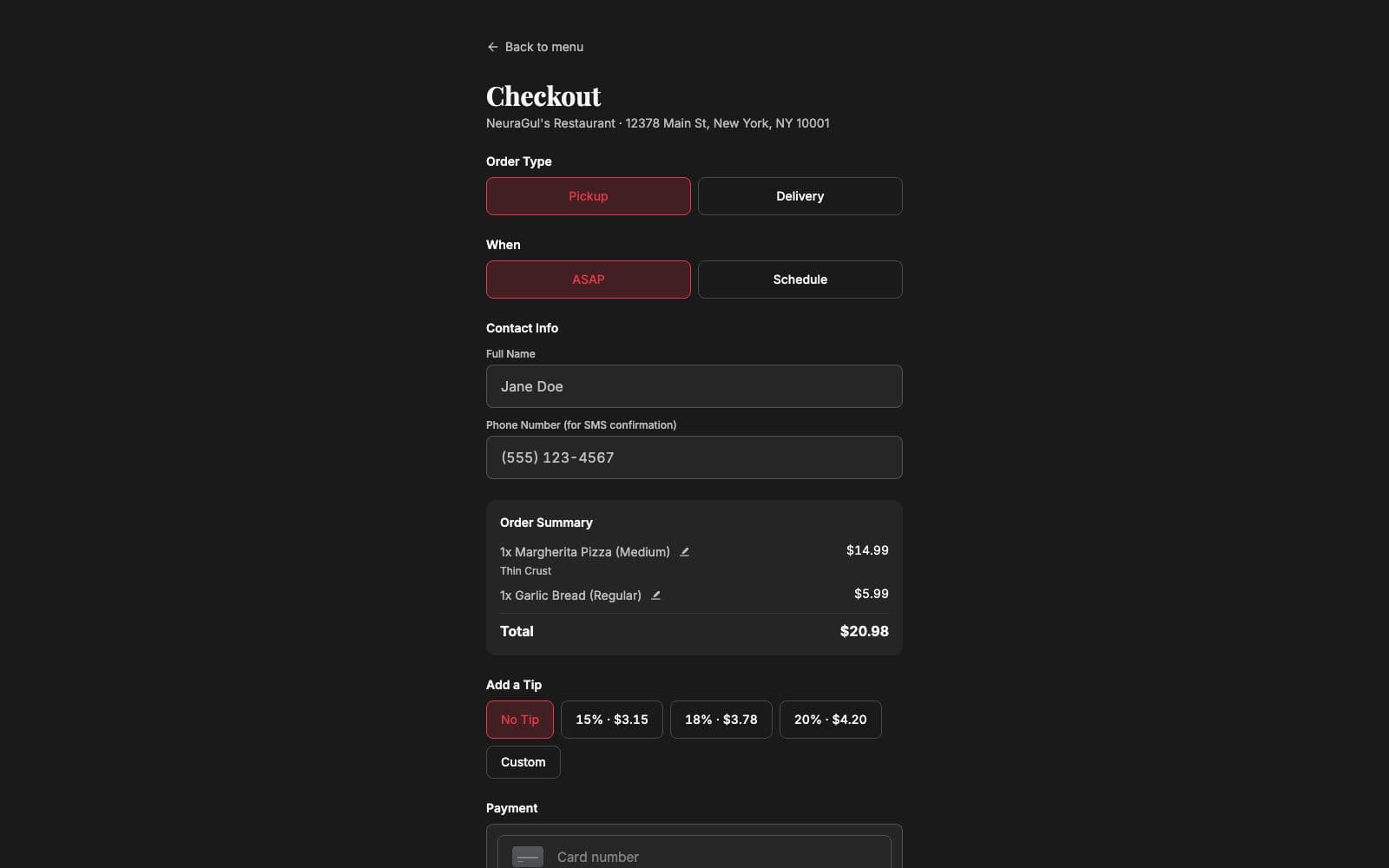
The menu is the Square catalog, read live: items, sizes and toppings are whatever the restaurant already maintains for its till, so there is no second menu to maintain. Checkout is pickup or delivery, now or a scheduled slot inside the restaurant's hours, a tip, and a card field that is a Square-hosted frame, so no card number ever reaches the restaurant's own code.
The order is created in Square before any card is charged, and the amount charged is the order total read back from Square at payment time, so the browser cannot send its own figure. Each payment carries the order's own id as its idempotency key, so a retried request cannot charge twice. The customer gets a text when the order is received and another when the kitchen marks it ready in Square. That second text is sent once per order, because the webhook that triggers it can arrive more than once.
The back office
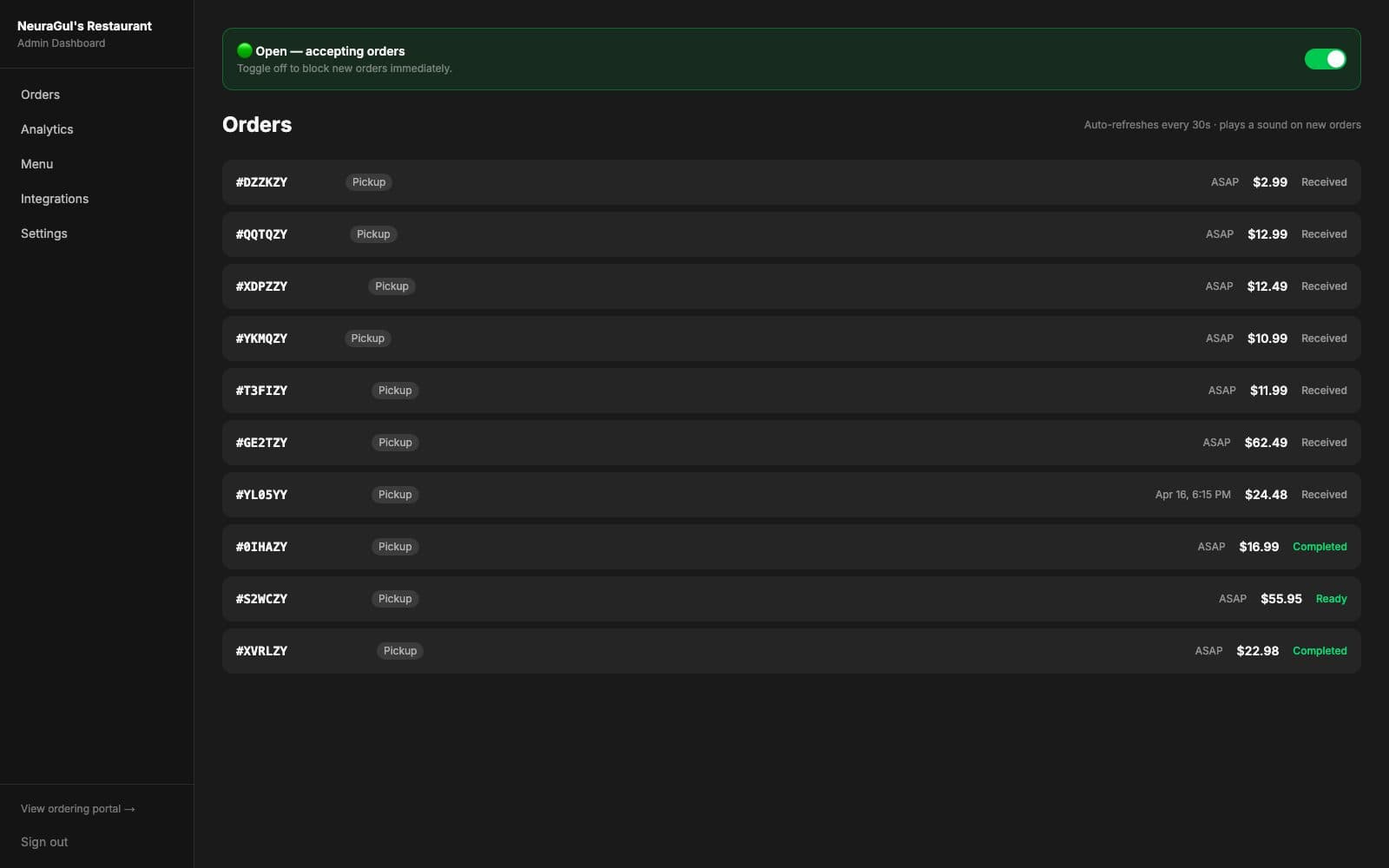
The Orders page is the counter's view of the same Square orders: a live feed, an open/closed switch at the top that blocks or accepts orders immediately, and a sound when a new one lands. Close early on a slow Tuesday or force open for a late rush; the switch overrides today's hours and leaves the rest of the week alone.
Hide a dish from the admin and it leaves the ordering portal at once while staying in the Square catalog, so the till and the receipts are untouched. Analytics reads revenue, order count, average order and pickup against delivery straight from Square for the last 7, 30 or 90 days. There is no second database of orders anywhere in the system.
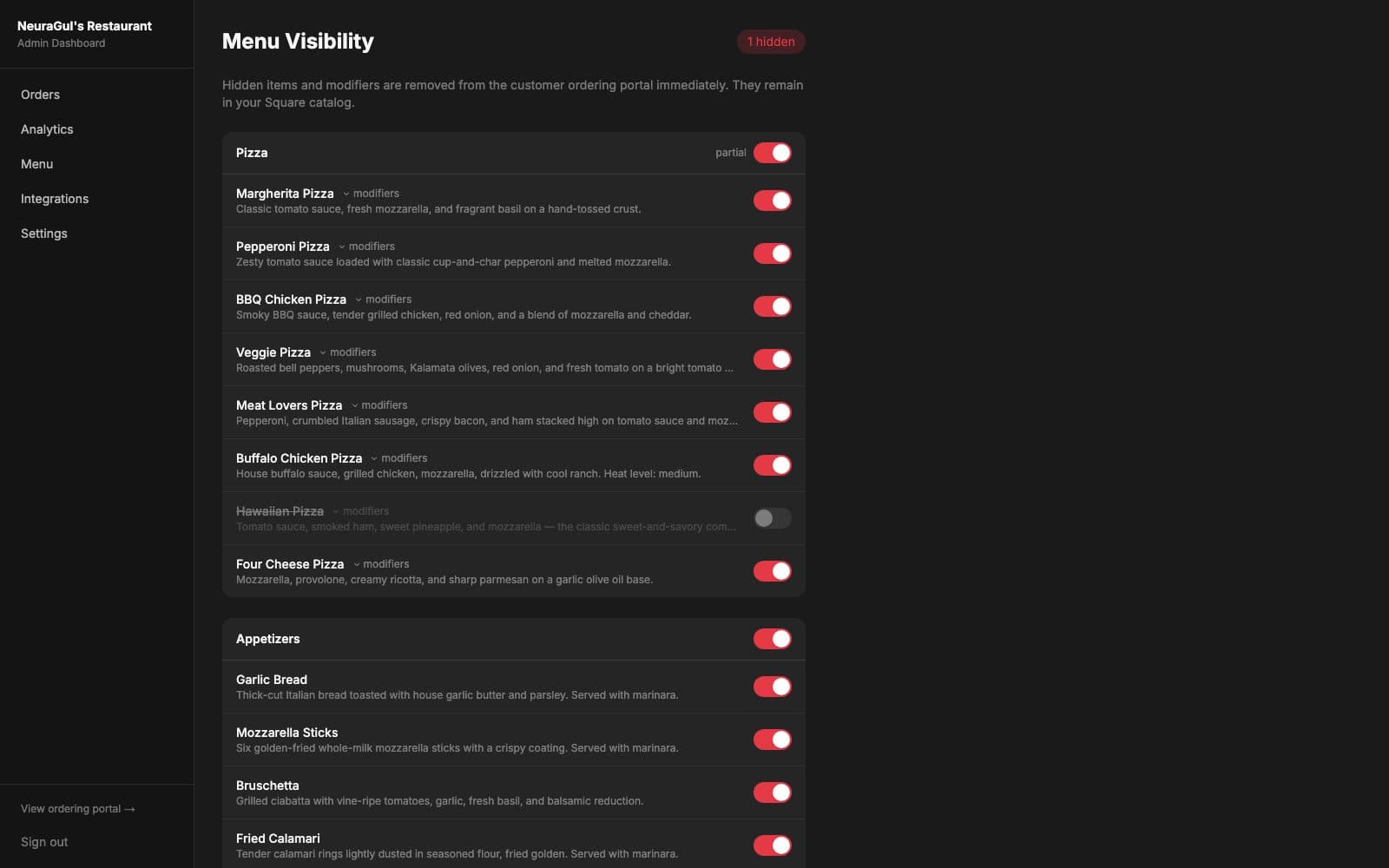
Hidden items and modifiers are removed from the customer ordering portal immediately. They remain in your Square catalog.
Changes without a developer
The code ships with defaults. Environment variables cover the first boot. Anything the admin saves is a row in a settings table, and that row wins over both on the next request, with no redeploy. Name, address, timezone, hours for every day of the week, delivery fee and radius, prep time, how far ahead a customer may schedule, the wording of every text message: 44 keys, each checked for shape before it is written.
Square, Twilio and Uber Direct credentials are edited on the Integrations page the same way, so a rotated key takes effect without a deploy. The five secret values are returned to the browser masked, and a save that sends the mask back changes nothing. Delivery can switch between the restaurant's own drivers and Uber Direct couriers from the same admin; a failed courier dispatch is tried three times in all, and texts the restaurant's alert number if the third attempt fails.
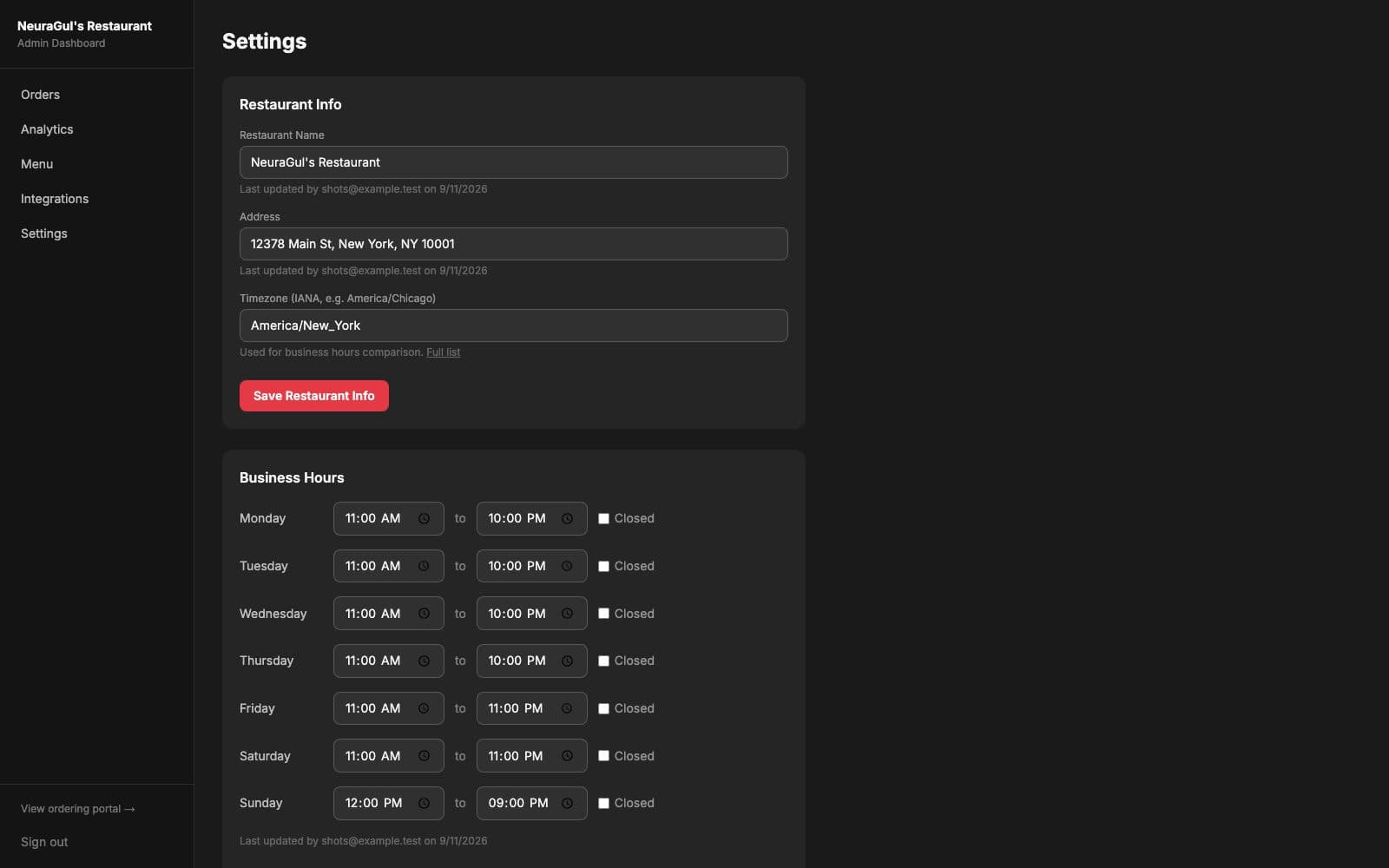
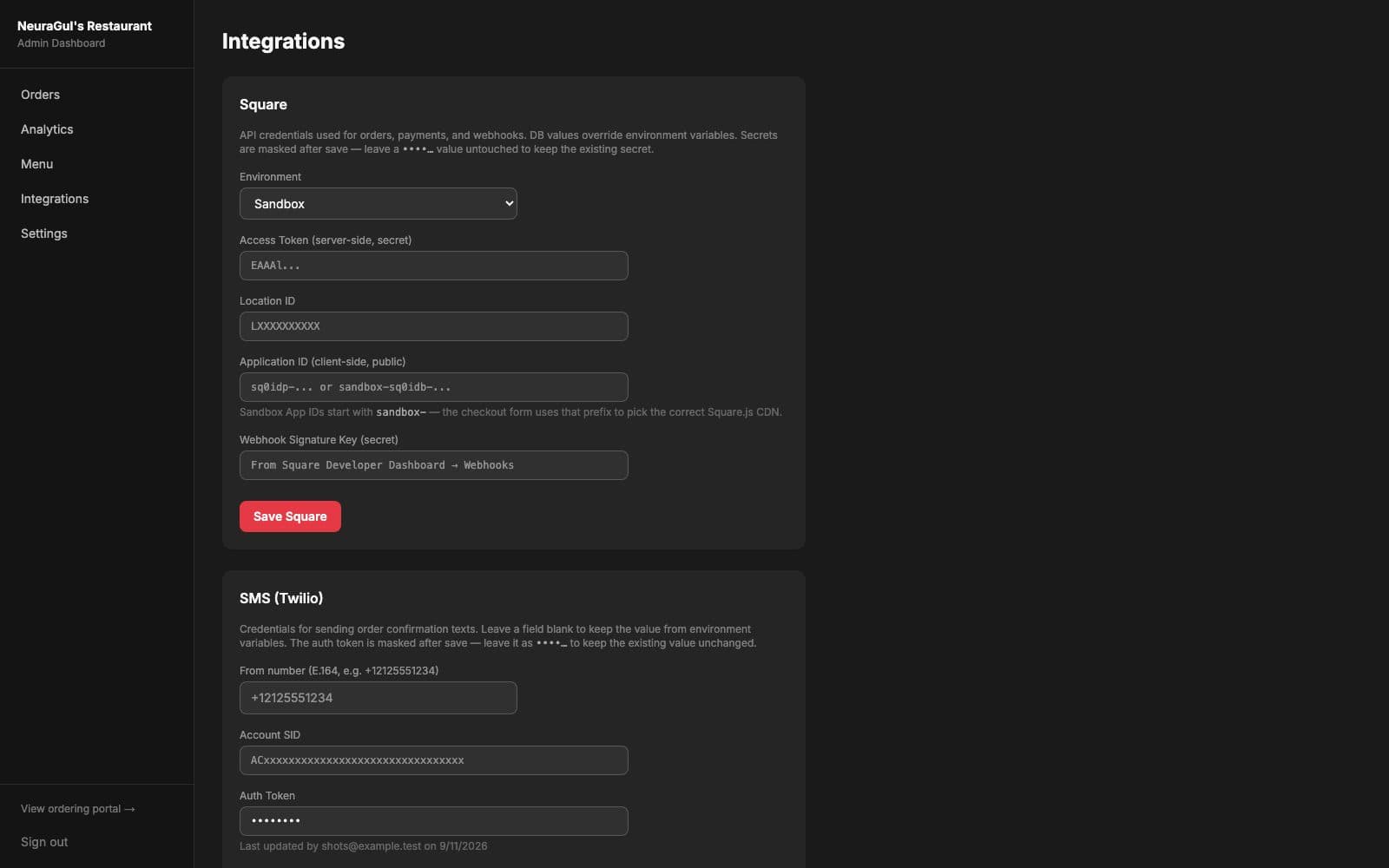
DB values override environment variables. Secrets are masked after save.
Project details
- Tests154 Jest
- DeploymentVercel — one deployment, database and Square account per restaurant
- Year2026
- PlatformProduct
- Live demopizzeria-software.vercel.app
Still paying an app a cut of your own customers' orders?